
Haunted School
Haunted School — Abandoned Hallways, Spectral Entities & Stealth Room Escape
Haunted School brings spine-chilling 3D survival horror, unsettling classroom exploration, and nerve-wracking stealth mechanics directly to your browser. Locked inside an abandoned schoolhouse after dark, your mission is to locate missing keys, unravel paranormal mysteries, and escape the restless spirits haunting the corridors. Consequently, keeping your flashlight battery managed, listening closely for phantom footsteps, and crouching silently behind desks when danger approaches are vital for your survival. Furthermore, if you crave bone-chilling thrillers and eerie survival games, explore our complete selection of horror games online on Classroom80x.com.
Creepy Classrooms, Hidden Keys & Stealth Mechanics
Surviving the dark passageways of Haunted School requires careful stealth and sharp environmental observation. Initially, exploring unlocked classrooms yields essential batteries, old journal entries, and rusty brass keys. Because evil entities react instantly to loud movements and flashlight beams, turning off your light source and creeping under desks helps you stay hidden in the dark. In addition, solving intricate padlock puzzles and unlocking master door gates are the only ways to break free from the nightmare.
How to Play & Controls
Navigate dark school hallways, dodge specters, and solve puzzles using straightforward PC controls:
- Movement / Walk: Use WASD Keys or Arrow Keys to move through dark hallways and inspect rooms.
- Look Around / Aim Light: Move the Mouse cursor to direct your vision and point your flashlight beam.
- Interact / Collect Item: Press E Key or Left-Click to open doors, pick up keys, and inspect objects.
- Crouch / Stealth Mode: Press C Key or Control Key to crouch down, muffle footsteps, and hide behind cover.
- Toggle Flashlight: Finally, press F Key to turn your flashlight on or off to preserve battery power and avoid drawing attention.
Frequently Asked Questions (FAQ)
- What should I do when a ghost starts chasing me in Haunted School?
Break line of sight immediately, switch off your flashlight, and crouch behind furniture or duck into a locker until the entity wanders away. - How do I find spare batteries for my flashlight?
Specifically, check teacher desks, supply closets, and storage lockers scattered across each floor to replenish your flashlight energy. - Is Haunted School playable unblocked on Chromebooks at school?
Yes, Haunted School runs smoothly through modern WebGL and HTML5 web browsers on Chromebooks, PCs, and laptops with zero downloads needed.
More Recommended Horror & Survival Games
If you survived the night and escaped the haunted halls in Haunted School, test your courage with these top titles on Classroom80x.com:
- Lethal Company – Explore abandoned industrial moons, scavenge valuable scrap, and evade terrifying alien monsters.
- 20 Minutes Till Dawn – Battle hordes of nightmarish creatures, build unique bullet-hell synergized weapons, and survive until sunrise.
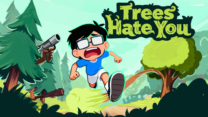
- Trees Hate You – Navigate dark, dangerous forests where aggressive natural forces try to stop your escape.
- Tattletail – Feed, groom, and quiet a mischievous talkative toy while escaping the terrifying Mama Tattletail in the dark.
Title: Haunted School — Abandoned Hallways, Spectral Entities & Stealth Room Escape
Description: Play Haunted School on Classroom80x.com. Explore shadowy classrooms, dodge spooky ghosts, manage flashlight power, solve door puzzles, and play online!
Slug: haunted-school
Thumbnail Alt: “A eerie dark school hallway illuminated by a single flashlight beam in Haunted School”
Gameplay Alt: “First-person perspective inspecting a locked classroom door for keyholes in Haunted School”
Atmosphere Alt: “Survival horror game interface showing flashlight battery status, key inventory slots, and stealth noise indicators”





Leave a Reply
You must be logged in to post a comment.