
Jelly Dash
Jelly Dash — Shape-Shifting Obstacle Dash, Reflex Precision & Arcade Speed
Jelly Dash delivers addictive arcade reflex challenges, squishy shape-shifting mechanics, and fast-paced obstacle course navigation straight to your browser. Controlling a flexible, jelly-like character speeding down endless trackways, your objective is to squeeze, stretch, and morph your shape to fit through narrow gaps, dodge moving barriers, and collect glowing gems. Consequently, timing your shape changes perfectly, reacting to sudden barrier shifts, and maintaining high dash momentum are crucial to surviving high-speed runs. Furthermore, if you enjoy test-your-reflex challenges and fast arcade action, check out our full collection of arcade games online on Classroom80x.com.
Morphing Mechanics, Speed Boosts & High-Score Dash
Setting top scores in Jelly Dash demands laser-sharp focus and rapid physical adjustments. Initially, navigating early track segments gives you time to understand how changing your jelly’s height and width affects slide speed and passage alignment. Because track speed continuously increases while obstacles shift dynamically, anticipating gate shapes ahead ensures you don’t slam into wall edges. In addition, collecting scattered gems along the course unlocks colorful new jelly skins, squishy character trail effects, and unique visual themes.
How to Play & Controls
Morph your shape, slide past obstacles, and dash toward high scores using simple controls:
- Change Shape (Height / Width): Click and drag Up and Down (or use Up and Down Arrow Keys / W and S Keys) to stretch tall or flatten wide.
- Shift Track Lanes: Drag Left and Right (or use Left and Right Arrow Keys / A and D Keys) to align with incoming gates and gem paths.
- Dash Boost: Time your pass through boost gates to gain temporary invincibility and blast through barriers.
- Restart / Pause: Moreover, press Spacebar or P Key to quickly pause the action or restart after a collision.
- Customization Shop: Finally, use the Mouse cursor in the main menu to equip new jelly colors, trails, and shape skins.
Frequently Asked Questions (FAQ)
- What is the trick to passing through moving gates in Jelly Dash?
Look ahead at the gate’s cutout shape rather than your jelly character, adjusting your height or width before you reach the obstacle threshold. - How do I unlock new jelly skins and custom trail effects?
Specifically, gather gems during your dash runs and complete distance milestones to spend in the in-game shop. - Is Jelly Dash playable unblocked on Chromebooks at school?
Yes, Jelly Dash runs smoothly in modern HTML5 web browsers across Chromebooks, PCs, and mobile devices without installation.
More Recommended Arcade & Reflex Games
If you morphed past every barrier and set a record in Jelly Dash, test your skill across these top titles on Classroom80x.com:
- Tap Tricks – Time your taps to execute impressive flips, land safely on platforms, and complete trick objectives.
- Pistol Duel – Test your quick-draw reflexes in high-stakes 1v1 showdowns where split-second reaction time wins.
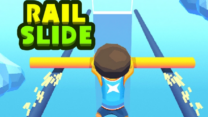
- Rail Slide – Extend your pole to balance across narrow rails, collect coins, and reach the finish platform.
- Speed Slope – Roll down steep slopes at breakneck speeds while dodging obstacles and steering through neon ramps.
Title: Jelly Dash — Shape-Shifting Obstacle Dash, Reflex Precision & Arcade Speed
Description: Play Jelly Dash on Classroom80x.com. Morph your squishy jelly character, squeeze through narrow gate cutouts, collect gems, unlock skins, and dash online!
Slug: jelly-dash
Thumbnail Alt: “A squishy brightly colored jelly character morphing shape to squeeze through a narrow gate in Jelly Dash”
Gameplay Alt: “Endless trackway view showing a shape-shifting jelly dodging barriers and collecting gems in Jelly Dash”
Atmosphere Alt: “Arcade game UI featuring high score counters, gem balances, jelly skin customization shop, and speed meters”






Leave a Reply
You must be logged in to post a comment.